
Overview
In this chapter we will introduce some of the communication (or social networking) features of a GitHub repository: issues and discussions. We will illustrate these with real examples from Project Pythia’s collaborative work.
Prerequisites
| Concepts | Importance | Notes |
|---|---|---|
| What is GitHub? | Necessary | |
| GitHub repositories | Necessary |
What are GitHub issues and discussions?
GitHub provides two different, but related mechanisms for communicating within a repository about a project: issues and discussions. Issues are more like “to-do” items; they are task-focused. For example, issues are often used to report and track bugs, request new features, or perhaps note a performance problem. Ultimately, the maintainers of a project may resolve the issue by fixing the bug, adding the feature, etc., and then closing the resolved issue, marking the task as completed. GitHub Discussions, much like the name implies, are more open ended, and may not have a resolution. Asking about a topic, discussing the merits of a new feature, or even advertising an event, such as a tutorial for your project, are all examples of discussions.
In the text below we discuss issues in more detail, followed by a discussion on Discussions. Keep in mind that when initiating a conversation on GitHub, it is often unclear whether something is more suited as an issue or a discussion. We, the creators of Project Pythia, struggle with this ourselves. If you’re not sure, simply pick one. Fortunately, the GitHub developers recognized this dilemma, and made it easy to convert issues into discussions and vice versa.
Issues
Open and closed issues
To get started, let’s take a look at the Issues page of Project Pythia’s pythia-foundations repository:
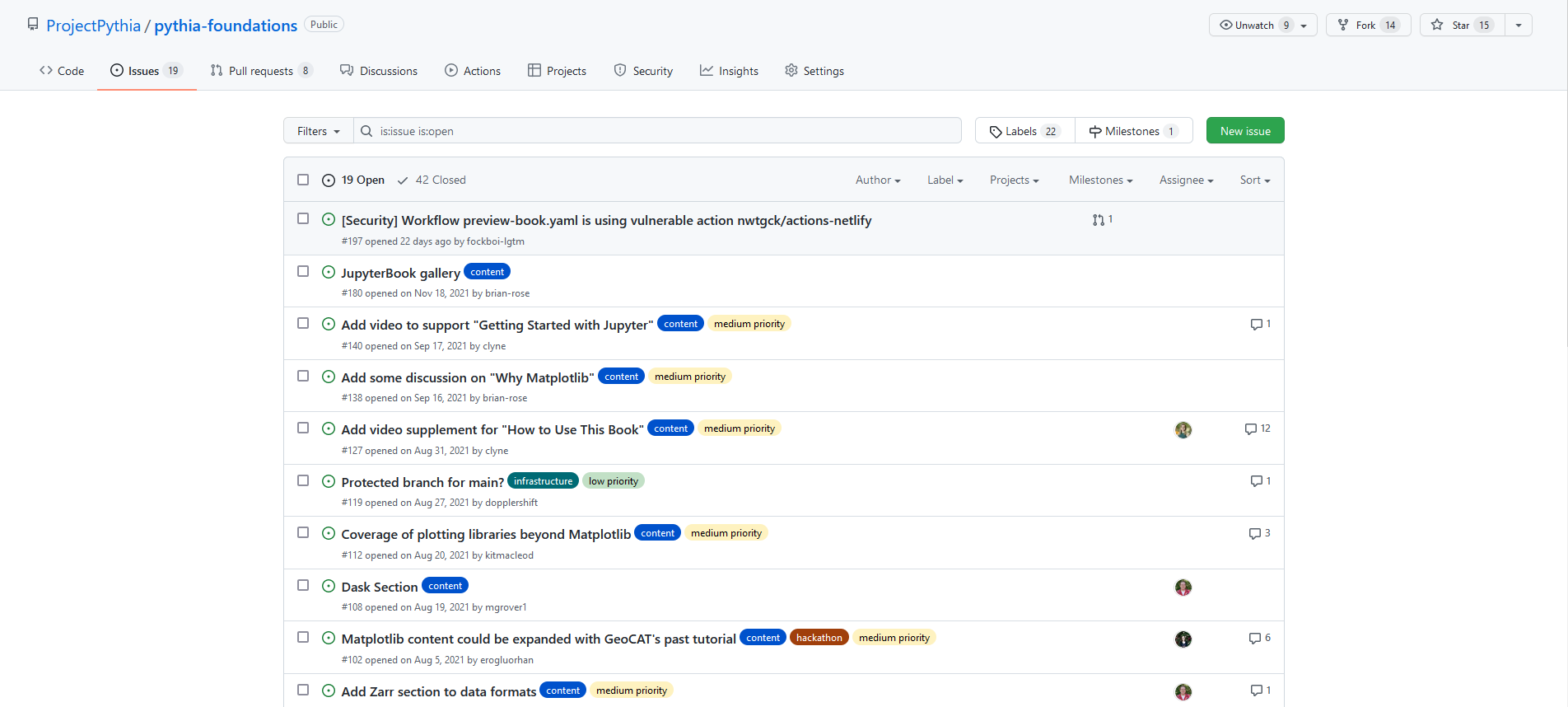
By default, it shows all open issues, but we can see all closed issues by clicking “Closed”.
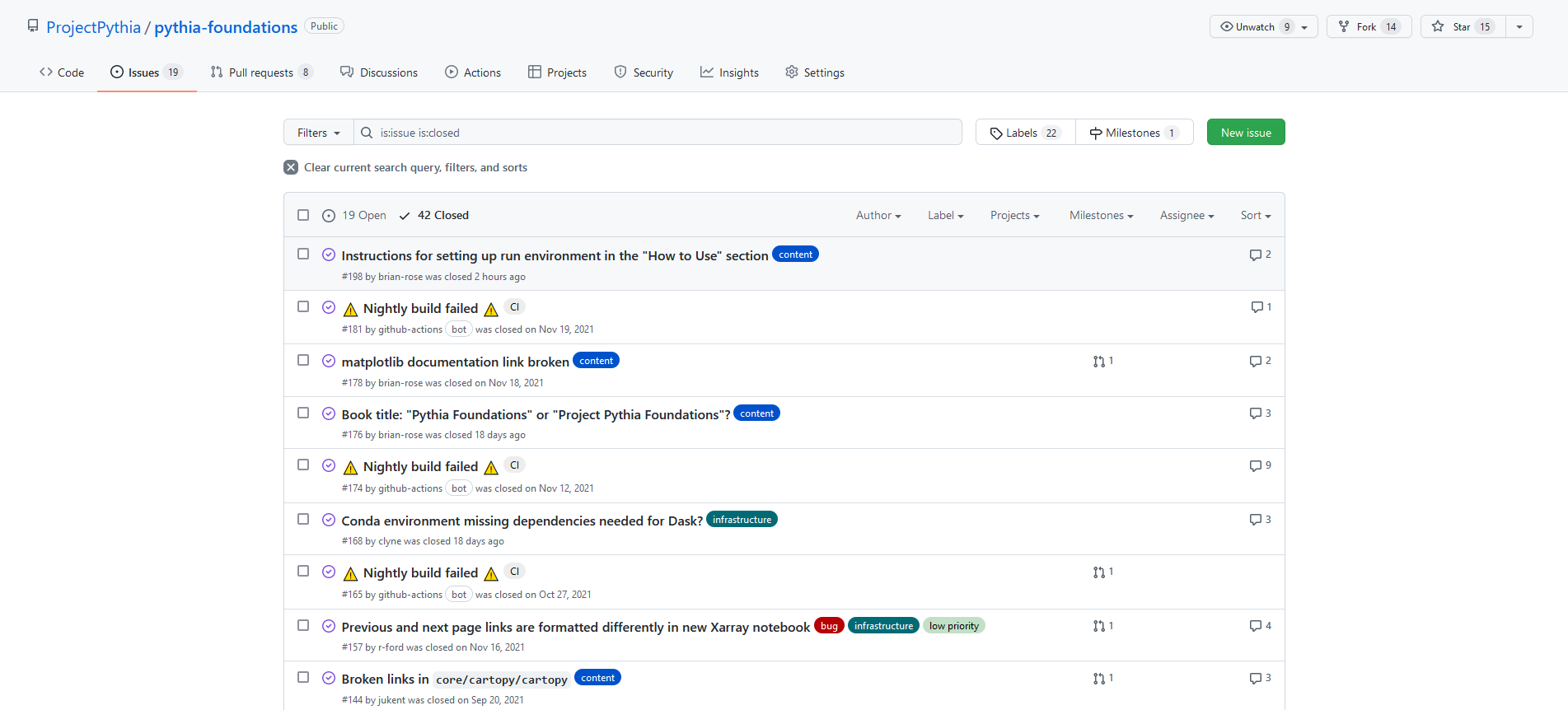
Issues, discussions, and pull requests are all numbered for easy reference. By opening, resolving, and then closing an issue, we are leaving behind a searchable public record of what the issue was, why we thought it was important, and how we resolved it. This is great for project management, since it gets old Issues out of the way without actually deleting them.
An example issue
Let’s now examine issue #546.
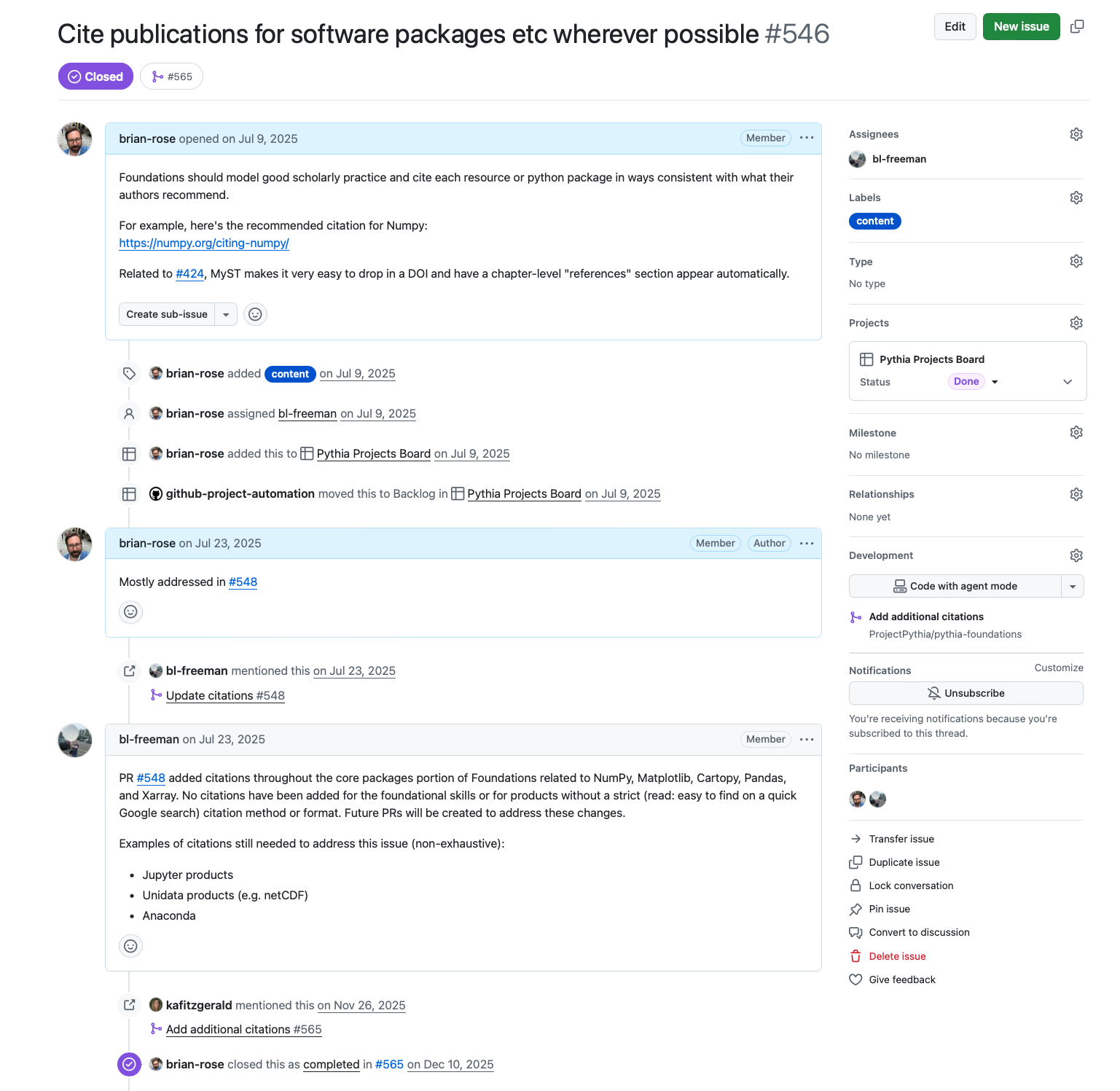
As you can see, there was some discussion about the need to add more citations for the Python packages used through the Foundations book, with some links to examples and documentation. A particular person was tagged as being “assigned” to the issue, which some collaborative projects use to keep track of who is working on what. Some labels were also added to the issue to help filtering/sorting by topic.
A typical feature of GitHub issues is the use of cross-references to link related topics. In this case, we can see that some work was done in pull request #548 that partially resolved the issue. We can also see that the issue was mentioned again in pull request #565, and that both of these pull requests were merged. This means that the changes have been incorporated into the main branch of the code (we’ll talk more about pull requests in a later chapter). The issue was closed because the team members decided that those changes were sufficient to address the original problem.
Issues can notify others of bugs or typos, but they can also be used as “calls to action”, whether you plan on addressing the issue yourself, or are hoping that someone else will be interested in making the changes. Issues #97 and #98 are examples of this, in which ideas for changes are proposed and then addressed at a later time.
A new issue can be opened by pressing the “New issue” button on the top right of the Issues page. Depending on the repository, you may be prompted to choose from a template, or you may just see title and text boxes to fill out.
Discussions
Discussions, on the other hand, are more open-ended and do not necessarily suggest a change or addition to the repository. Here is the discussions page for Pythia Foundations:
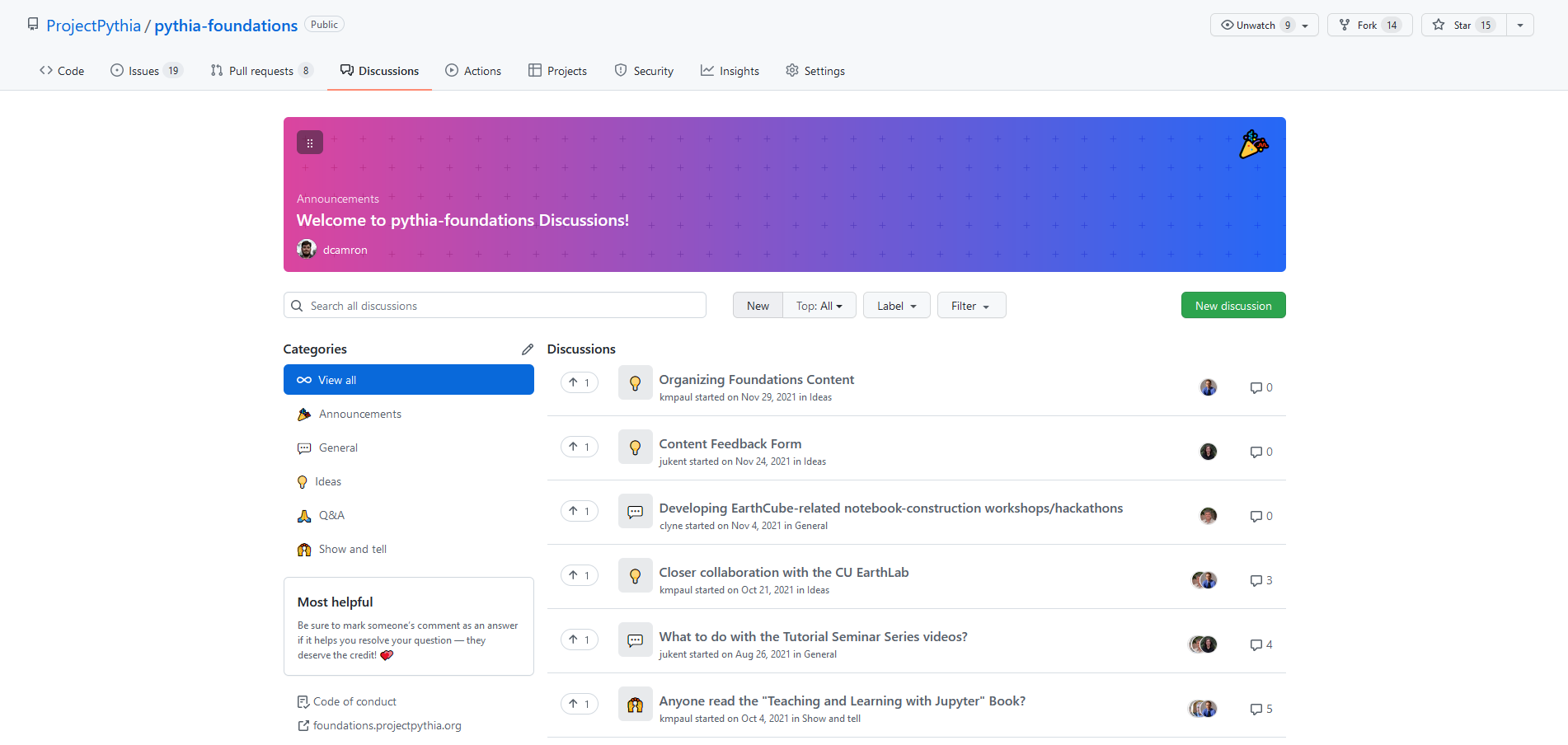
Let’s take a look at discussion #156.
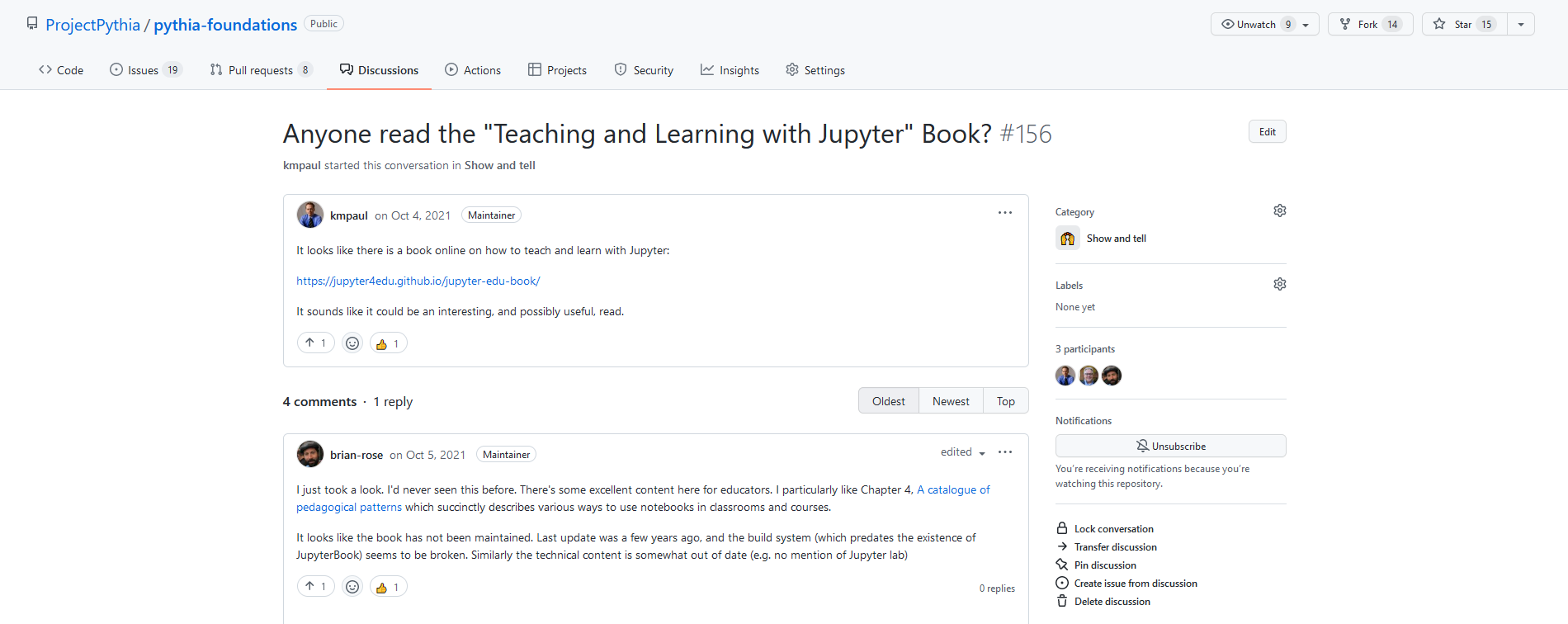
This discussion brings up a resource relevant to the repository that could help others, but it is not suggesting a change like an issue would. Other discussions might include announcements, Q&A, or general thoughts about the repository.
GitHub also makes it simple to reference a discussion in an issue (and vice versa), which can help provide background and context for a piece of work.
Summary
GitHub provides the Issues and Discussions features to facilitate collaboration.
Issues are specific and actionable, while discussions are open-ended.
If you want to discuss a topic and you’re not sure if it is an issue or a discussion, just pick one. It will be okay. :-)
What’s next?
We will work through cloning and forking an example repository.